
Bold period styling
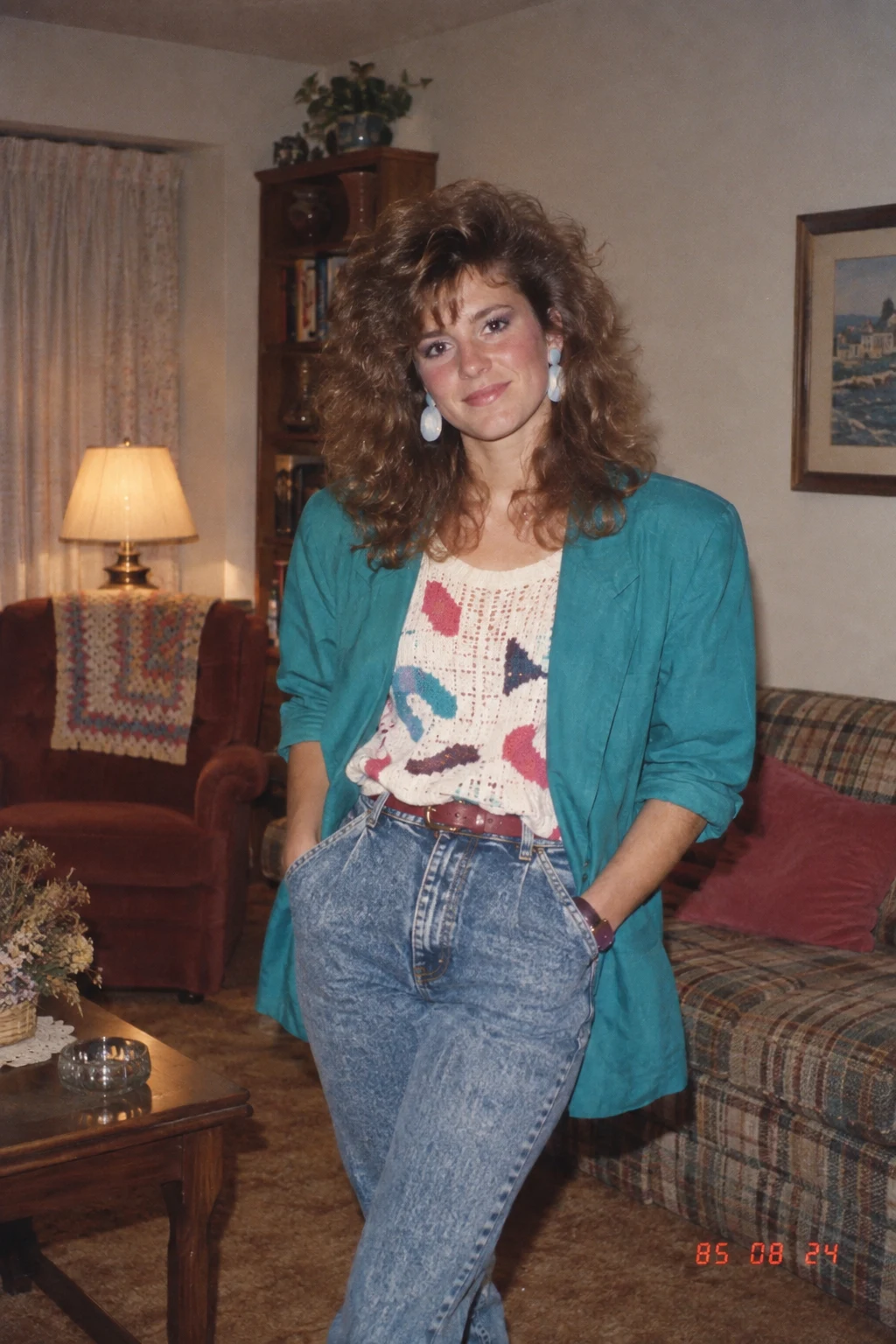
Expressive silhouettes, statement accessories, layered details and distinctive textures move the whole portrait into the mid-1980s.
Upload a portrait and see yourself reimagined around 1985 with expressive hair, layered clothing, statement accessories and period surroundings. Direct flash, faded colour, analogue grain and a red-orange date stamp complete the look.
GPT Image 2.5 Flare
Add one clear portrait. AI applies the featured 1985 transformation while asking the model to preserve your identity, skin tone, age and recognisable appearance.
Use a JPG, PNG or WEBP with one clearly visible face. Avoid heavily filtered, blurry or very small photos.
Using my uploaded photo, show me what I would have looked like around 1985. Preserve my identity, facial features, skin tone, age, and recognizable appearance. Reimagine my hair, clothing, accessories, and surroundings with bold, unmistakably mid-1980s styling—expressive silhouettes, statement accessories, layered details, distinctive colors, and textures. Make it feel like a genuine 1985 photograph with analog grain, faded color, direct flash, and subtle softness. Add a period-accurate 1980s red-orange date stamp in the lower corner. No modern objects or text.
Your generated portrait will appear here after you upload a photo and start the transformation.
An effective 80s look prompt describes the styling, setting and photographic process rather than adding a generic retro filter. This version combines three signals associated with a real 1985 snapshot.
Expressive silhouettes, statement accessories, layered details and distinctive textures move the whole portrait into the mid-1980s.
Direct flash creates the crisp highlights and casual snapshot quality associated with many everyday photographs from the decade.
Faded colour, analogue grain, subtle softness and a small red-orange date stamp make the image read like a physical 1985 print.
Copy it for another image tool or run the same prompt here with your own portrait.
Choose a clear image where the face is visible. The uploaded photo becomes the identity reference for the edit.
The tool uses AI to transform the portrait into a mid-1980s look.
Check the face, styling and film treatment, then save the finished image or try again with a different source photo.
Prefer to work in ChatGPT or another image editor? Copy the exact English prompt used by this generator and attach your portrait there.
“Using my uploaded photo, show me what I would have looked like around 1985. Preserve my identity, facial features, skin tone, age, and recognizable appearance. Reimagine my hair, clothing, accessories, and surroundings with bold, unmistakably mid-1980s styling—expressive silhouettes, statement accessories, layered details, distinctive colors, and textures. Make it feel like a genuine 1985 photograph with analog grain, faded color, direct flash, and subtle softness. Add a period-accurate 1980s red-orange date stamp in the lower corner. No modern objects or text.”
The source photo still shapes the result. A simple, readable portrait gives the image model a better reference to work from.
Use a front-facing or slight three-quarter portrait with the eyes, hairline and face outline unobstructed.
A single subject and an uncluttered background make it easier for the model to concentrate on identity and period styling.
The prompt asks the model to preserve your identity, skin tone and age, while hair, clothing, accessories, surroundings and photographic texture are deliberately changed.
The year, styling, surroundings, direct flash, colour fade, grain, softness and date stamp work together. Removing one can make the output feel more modern.
It is an image-editing prompt that turns a current portrait into a photograph with recognisable mid-1980s styling and camera characteristics. This version is anchored specifically to 1985.
Yes. Copy the prompt, attach a portrait in a ChatGPT experience that supports image editing, and submit both together. You can also generate directly on this page.
It reimagines hair, clothing, accessories and surroundings with bold mid-1980s details, then adds direct flash, faded colour, analogue grain, subtle softness and a period date stamp.
The prompt explicitly asks to preserve identity, facial features, skin tone and age, but image generation can still alter details. Review the result carefully and try a clearer reference if needed.
The generator accepts JPG, PNG and WEBP images up to 30MB. A clear portrait with one visible face is the most practical starting point.
The direct generator calls GPT Image 2.5 in image-to-image mode. Each generation uses 8 credits.